Buckafudget
personal budget · no bank login · free

Give a buck
about your budget.

Say the name out loud. Now say it fast. That right there is how most people feel about budgeting apps — and it's the exact feeling we built this thing to get around.

no card · no bank connection · about 30 seconds
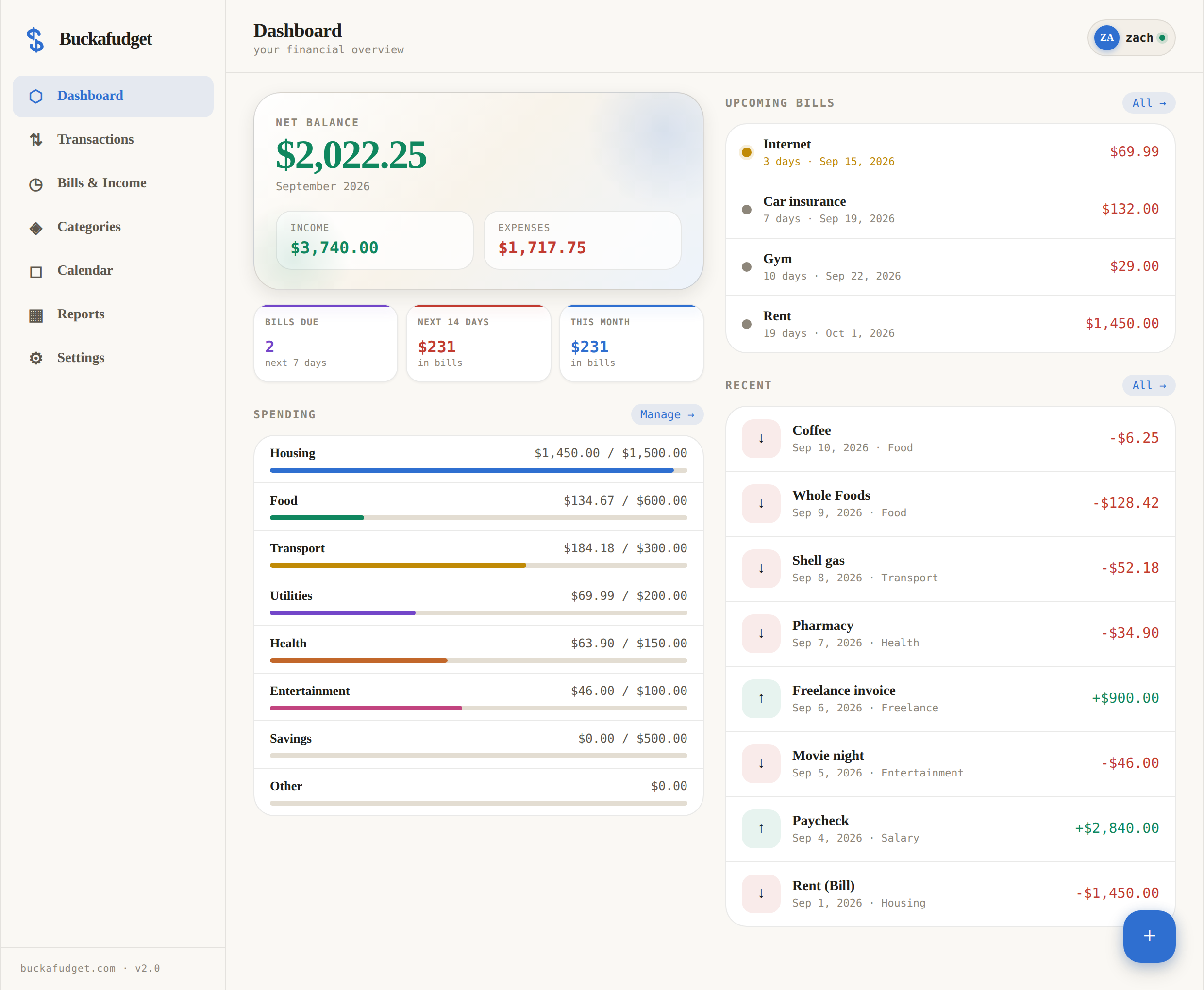
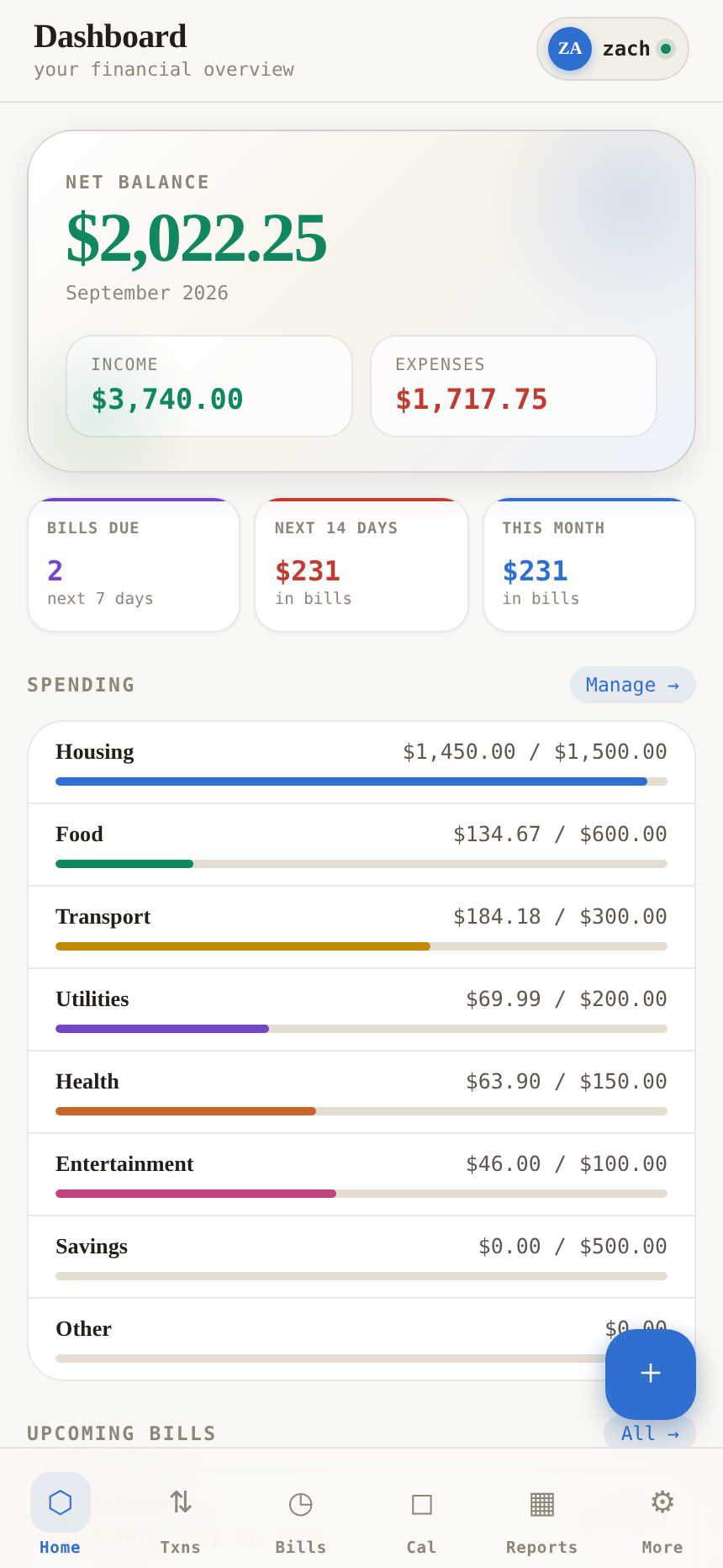
Buckafudget dashboard on desktop Buckafudget on a phone
$0
per month
0
bank logins
4
digit PIN
∞
devices synced
the problem

Why every other budget app
ends up on the home screen graveyard.

It's never the budgeting that kills it. It's everything the app piles on top.

⚿
Connect your bank

They want your bank password

Handing your login to a third-party aggregator so an app can guess that Kroger was groceries. We skip it entirely. You type what you spent. There's nothing to breach because there's nothing there.

◷
$14.99/mo after trial

They charge you to watch you spend

Paying fifteen bucks a month to be told you spend too much is, itself, a budgeting problem. Buckafudget is free. Not free-for-now. There's no upgrade screen to find.

◉
You broke your 12-day streak!

They nag

No streaks. No wellness score. No notification with a passive-aggressive opinion about your coffee. Open it when you want something, close it when you're done.

what's inside

Everything you need.
Conspicuously little else.

Six things, done properly, instead of forty things done to fill a pricing table.

⇅

Transactions

Amount, category, date, done. Search and filter by month or type when you need to go back and find something.

◷

Recurring bills & income

Weekly, monthly, quarterly, whatever. Set it once and let it auto-log on the due date, or log it yourself when it actually clears.

◎

The 14-day radar

Your net balance only counts money that actually moved. What's coming sits in its own chip — rent next Tuesday doesn't get to make today look like a disaster.

◈

Category budgets

Buckets with limits and a bar that turns red the moment you blow past one. No judgement. Just a red bar.

◻

Calendar

The whole month at a glance with a dot on every day something happens. Tap a day to see exactly what.

▦

Reports & CSV

Year-over-year totals and category breakdowns. And a one-tap CSV export, because your data should never be a hostage.

how it works

Three steps. Then you're just using it.

No onboarding wizard, no eleven-screen questionnaire about your financial goals.

1

Pick a username and a PIN

Four digits. No email, no password reset flow, no verification link sitting in spam. That's the whole signup.

2

Add your bills once

Rent, insurance, the streaming service you forgot about. Set the frequency and Buckafudget handles every month after this one.

3

Log as you go

A few seconds when you spend something. Everything syncs to every device you sign in on, instantly.

the fine print

Things Buckafudget will never do.

This list is the product as much as the feature list is.

✕Show you an ad
✕Ask for a subscription
✕Touch your bank login
✕Sell or share your data
✕Pitch you a credit card
✕Score your "financial wellness"
✕Hold your export hostage
✕Email you a weekly digest
questions

Fair enough.

Okay. The name.

Yeah. You worked it out. We're not going to print it, and legally we're a budgeting app, but we're glad we're on the same page. It's what half the country mutters at their bank balance on the 28th, and we figured naming the app after the feeling was more honest than naming it after a fern.

Is it actually free, or free-until-you're-hooked?

Actually free. There's no paid tier hiding behind a feature, no trial timer, and no card field anywhere in the app. If that ever changes you'll hear it from us before you hear it from a paywall.

Do I have to connect my bank?

No — and you can't, on purpose. You enter transactions yourself. It takes a few seconds and it means the app knows what you tell it and nothing more. The side effect is that you actually notice what you're spending, which is sort of the entire point.

Where does my data live?

In the cloud under your username, synced to every device you sign in on. Nothing is stored on the device itself, so signing out leaves nothing behind on a shared computer. Your four-digit PIN unlocks it.

Does it work on my phone?

It was built for a phone first — the desktop layout came second. Open buckafudget.com in your browser and add it to your home screen; it runs full-screen like an app, no install required.

What if I want out?

Export everything to CSV from the settings screen whenever you like, and delete the whole account in two taps. No retention flow, no "are you sure" carousel, no discount offer.

Your budget isn't going
to fudge itself.

Free, no bank login, about thirty seconds to set up.

Dashboard
your financial overview
Net Balance
$0.00
Income
$0.00
Expenses
$0.00
Bills Due
0
next 7 days
Next 14 Days
$0
in bills
This Month
$0
in bills
Spending
◈
No categories yet
Upcoming Bills
◷
No bills added
Recent
⇅
No transactions yet
⇅
No transactions yet
◷
No bills yet
◈
No categories yet
By Category
▦
Run a report
Monthly
▦
Run a report
Export CSV
Download all transactions
↓
Sign Out
Not signed in
→
Reset All Data
Permanently delete everything
!
Buckafudget
buckafudget.com · v2.0 Mobile